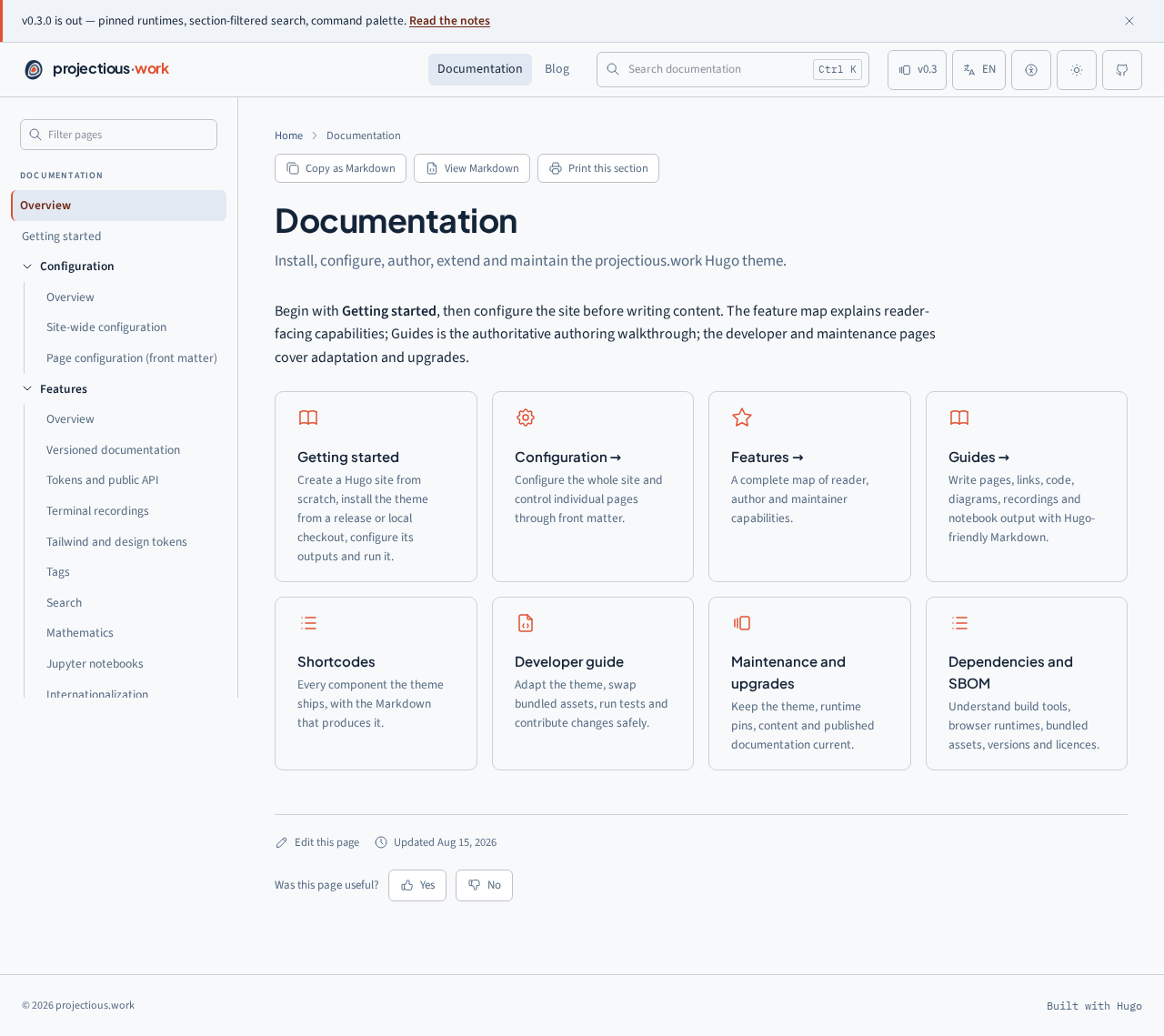
Install the theme, its required toolchain and the optional renderers used by your content.
Install the theme as a pinned Hugo Module. The core site needs Hugo Extended,
Go, Git and—when Tailwind utilities are enabled—Node.js. Graphics renderers are
capability-based: install only the command-line tools used by your content.
Browser renderers require no global executable. Mermaid, D3, Observable Plot,
JSXGraph, WaveDrom, SMILES Drawer and pseudocode.js are loaded only on pages
that use them, from the exact versions in data/cdn.yaml or a self-hosted
mirror.
Generated SVG fences need the corresponding executable when their cached output
does not exist:
The integrated build discovers source fences and assets, invokes only missing
renderers, and caches their SVG. CI should install and pin every renderer used
by the site so a clean checkout can reproduce the documentation.
Set params.selfHostAssets = true and mirror the pinned files listed in
data/cdn.yaml under static/vendor/<package>/. Vendor remote D2 icons and any
URL-loaded diagram source as local project files. Tectonic-style package
downloads are not part of this theme’s Typst pipeline; Typst Universe packages
must already be cached or vendored for a completely offline clean build.
Open the address printed by Hugo, then verify navigation, search, light/dark
mode and any renderer used by the site. Continue with
Getting started to create the initial content and copy the
complete output configuration.
hugo mod get github.com/projectious-work/brand-theme-hugo-vanilla@v0.4.0
hugo mod tidy
To remove the theme, delete its module import and run hugo mod tidy. Remove
the Tailwind dependency only when no other part of the site uses it.
Admin page
Member management, roles, status badges and a responsive data table.
Getting started
Create a Hugo site from scratch, install the theme from a release or local checkout, configure its outputs and run it.
This is a from-scratch walkthrough for a new site. Complete
Installation first; this page concentrates on creating and
configuring the initial documentation rather than repeating platform-specific
tool installation.
Install Hugo 0.128.0 or newer, Go, Node.js/npm and Git. Install D2, Graphviz or
Typst only when the site uses their generated-SVG features. Confirm the core
tools before creating files:
sh
hugo version
go version
node --version
npm --version
git --version
The example is verified with Hugo 0.165.0. Use Hugo Extended because the CSS
pipeline invokes Tailwind through Hugo Pipes.
See Installation for renderer
commands, browser-only dependencies and offline builds.
Hugo 0.165 and later reject css.TailwindCSS when tailwindcss is absent
from this allowlist.
hugo new site creates hugo.toml, content/, layouts/, static/ and other
standard Hugo directories. hugo mod init creates go.mod, which records the
theme dependency.
Hugo now reads the local checkout without downloading the module. Do not commit a
machine-specific replace line in a production site; remove it and run
hugo mod tidy before releasing.
Copy the complete commented configuration from
Configuration into the
site’s root hugo.toml—the file created by hugo new site. The output-format
blocks enable search, print views, page Markdown and llms.txt; the markup block
enables class-based syntax highlighting, heading tables of contents and math.
Open the URL printed by Hugo. Check the sidebar, search, language and appearance
menus, code colours and keyboard focus. A production build is hugo --minify.
Set params.build.tailwind = false to serve the theme’s tokens and component CSS
without Tailwind utilities. Site-authored Tailwind utility classes will then not be
generated.
Site-wide configuration
Configure Hugo, outputs, Markdown, menus, languages and theme parameters.
Configure the theme in layers. Start with Hugo’s site configuration, add theme
parameters for presentation and integrations, then use front matter for page-level
choices. Do not edit theme templates for settings that already have a parameter.
Site URL, module, languages, menus, outputs, Markdown and theme parameters
Site owner
go.mod
Hugo Module dependency and selected theme version
Site owner
package.json / lockfile
Tailwind CLI and browser-test tools
Site owner
data/cdn.yaml
Exact KaTeX, Mermaid and asciinema runtime versions
Theme maintainer
i18n/*.toml
Translated interface labels
Theme maintainer or translator
Page front matter
Title, order, description and per-page capabilities
Content author
The example at src/content/hugo.toml is executable test material. The copyable
equivalent is included below so a site creator does not need to browse the theme
repository.
Paste this into the site-root hugo.toml created by hugo new site, then replace
the example identity and repository values. Comments mark optional settings.
hugo.toml
baseURL="https://docs.example.com/"# Canonical URL, including any path prefix.title="Example documentation"# Site name used in metadata and the header.defaultContentLanguage="en"# English is served when no language is specified.defaultContentLanguageInSubdir=false# Keep the default language at the site root.enableRobotsTXT=true# Ask Hugo to generate the theme's robots.txt.[module]# Install the theme as a versioned Hugo Module.[[module.imports]]path="github.com/projectious-work/brand-theme-hugo-vanilla"# Theme module.[build.buildStats]# Let Tailwind discover classes emitted by Hugo templates.enable=true[security.exec]# Permit only the build tools the site intentionally invokes.allow=["^(dart-)?sass$","^go$","^git$","^node$","^postcss$","^tailwindcss$"][outputFormats.SearchIndex]# Local full-text search data at /index.json.mediaType="application/json"# JSON response type.baseName="index"# Output filename without extension.isPlainText=true# Do not wrap the generated JSON in HTML.notAlternative=true# Keep this out of alternate-format metadata.[outputFormats.Print]# Printable aggregate for each section.mediaType="text/html"# Browser-renderable output.baseName="print"# Produces print.html.isHTML=true# Enable Hugo's HTML processing.notAlternative=true# Do not advertise it as an alternate page.permalinkable=true# Give the output a stable URL.[outputFormats.LLMS]# Machine-readable discovery document at /llms.txt.mediaType="text/plain"# Plain UTF-8 text.baseName="llms"# Output filename without extension.isPlainText=true# Do not apply an HTML wrapper.notAlternative=true# Keep it out of alternate-format metadata.[outputFormats.Markdown]# Clean Markdown representation of pages and sections.mediaType="text/markdown"# Standard Markdown response type.isPlainText=true# Do not apply an HTML wrapper.permalinkable=true# Give every representation a stable URL.[outputs]# Select the formats generated for each Hugo page kind.home=["HTML","RSS","SearchIndex","LLMS"]# Site-level discovery outputs.section=["HTML","RSS","Print","Markdown"]# Section aggregates and copies.page=["HTML","Markdown"]# Reader page plus clean Markdown.[markup.goldmark.renderer]# Markdown-to-HTML safety policy.unsafe=false# Reject raw HTML from content files.[markup.goldmark.extensions.passthrough]# Preserve formulas for KaTeX.enable=true[markup.goldmark.extensions.passthrough.delimiters]# Accepted LaTeX delimiters.block=[["\\[","\\]"],["$$","$$"]]# Display formulas.inline=[["\\(","\\)"]]# Formulas inside prose.[markup.highlight]# Hugo Chroma syntax highlighting.noClasses=false# Emit semantic classes so the theme controls colours.guessSyntax=true# Highlight an unlabelled fence when detection succeeds.[markup.tableOfContents]# Headings used by the right-hand navigation.startLevel=2# Begin with H2.endLevel=3# Include H3, but not deeper headings.[[menus.main]]# Add a link to the primary header navigation.name="Documentation"# Reader-facing label.pageRef="/docs"# Hugo page reference; checked during the build.weight=10# Lower weights appear first.[params]# Public theme settings; defaults are documented below.description="Documentation for the example product."# Site metadata summary.github="https://github.com/example/example-docs"# Repository header link.editURL="https://github.com/example/example-docs/edit/main/content/"# Edit base URL.version="v1.0"# Current label in the version menu.codeTheme="adaptive"# Adapt code panels to light and dark modes.sidebarSections=["docs"]# Top-level sections that receive the docs rail.sidebarOpenDepth=0# Initially expanded sidebar levels.[params.brand]# Optional product identity; every key has this default.home="/"wordmark="projectious.work"markLight="logo/icon-light.svg"markDark="logo/icon-dark.svg"favicon32="logo/icon-light.svg"# high-contrast mark for light browser chromeappleTouchIcon="logo/apple-touch-icon-180.png"[[params.versions]]# One published documentation version.label="v1.0"# Menu label.url="/"# Deployment-relative root for this version.note="latest"# Optional status annotation.
The packaged defaults use the latest mark-5a logo. Every supplied colour and
monochrome variant is also shipped under logo/theme/, so a site can select a
different approved mark without copying or modifying the theme.
HTML works without custom outputs. The integrated search, printing, Markdown copy
and llms.txt features require the [outputFormats] and [outputs] blocks from
the example configuration.
Format
What the theme produces
Why enable it
SearchIndex
/index.json with pages and H2/H3 headings
Header search and command palette
Print
print.html for an entire section
Printable handbook/PDF workflow
Markdown
index.md beside each page
Copy/View Markdown actions and agent consumption
LLMS
/llms.txt with language-aware page links
A compact discovery file for LLM tools
RSS
XML feeds styled by feed.xsl
Release-note subscriptions
Add SearchIndex and LLMS to outputs.home; add Print and Markdown to
sections; add Markdown to pages. The example configuration shows the exact media
types and filenames.
The table is the complete public parameter set. Scalar parameters are assigned
below [params]; tables and arrays use the TOML shapes shown in their detailed
pages.
Define primary links under menus.main; use pageRef for local pages. Define each
language under [languages.<code>] with label and weight. See
Header and navigation and
Internationalization for complete examples.
See Editing and feedback for repository URL
mapping, the request payload, the browser’s one-vote-per-page behavior and the
security requirements for an optional receiving service.
It writes shared Markdown below content/_notebooks/ and images below
static/notebooks/. The shortcode checks a page resource first, then the shared
path. Notebook basenames must be unique.
robots.txt gives compliant web crawlers crawl instructions. Set
enableRobotsTXT = true; Hugo then asks the theme to publish /robots.txt. The
theme allows canonical content while excluding generated search indexes and print
variants that duplicate it. For example:
llms.txt is a discovery document, not a crawler rule. Enable it by defining the
LLMS output format and adding "LLMS" to outputs.home, as in the copyable
configuration. It contains page titles, descriptions and links to clean Markdown
representations, without repeated header, sidebar and footer controls:
text
# Example documentation
## Documentation
- [Getting started](https://docs.example.com/docs/getting-started/index.md): Create a site.
Neither file is access control. Private information must not be published; use
authentication at the hosting layer when content requires access restrictions.
Run ./scripts/verify.sh. It builds twice, compares artifacts, rejects project-base
URL escapes and runs desktop/mobile browser tests. A configuration change is not
complete until that command passes without warnings.
Versioned documentation
Publish separate documentation builds and connect them with the version menu.
Each documentation version is a separate Hugo build. Publish the newest release at
the stable site root and older builds below prefixes such as /v0.2/. Never add a
version-menu entry until that URL exists.
Check out the source tag for the older documentation, for example v0.2.0.
Build that checkout with a base URL ending in /v0.2/:
sh
hugo --baseURL https://docs.example.com/v0.2/ --destination public/v0.2
Publish the entire generated public/v0.2/ tree. It contains that release’s
index.html, section/page directories, CSS, JavaScript, fonts, search index and
other static assets—not Markdown source files copied by hand.
Verify https://docs.example.com/v0.2/ and representative child pages.
Return to the current source and add the selector entry shown below.
Deploy current documentation without deleting the already-published v0.2/
directory.
toml
[params]version="v0.3"versionMenuLabel="Releases"# Optional independent control label.[[params.versions]]label="v0.3"url="/"note="latest"[[params.versions]]label="v0.2"url="v0.2/"
versionMenuLabel changes only the trigger and menu heading. The footer and
selected entry continue to use version.
The menu normally appends the current page path so readers stay on the same topic.
Set params.versionProbe = false, or probe = false on one entry, when versions
have different structures. Older builds display a banner linking to the first
configured version.
This repository lists archived tags in scripts/docs-archives.txt and the complete
cross-version navigation catalog in scripts/docs-versions.toml. The deployment
script rebuilds every listed immutable tag below its matching prefix and injects
the current catalog before it publishes the current root. A clean checkout thus
reproduces the complete version menu in every archived site without relying on
state left by an earlier deployment. Consumers can use the same pattern or retain
their archived generated trees by another deployment method.
Dashboard page
Operational metrics, activity trends and current pipeline state.
Page configuration (front matter)
Control navigation, cards, tables of contents and optional page capabilities.
Front matter is the TOML block between +++ delimiters at the beginning of a
Markdown file. These values affect only that page or section.
toml
+++title="API reference"# Required page title.linkTitle="API"# Optional shorter navigation label.description="HTTP API."# Summary, metadata and search excerpt.weight=20# Navigation and previous/next order.icon="code"# Icon on a generated child-page card.toc=true# Show the right-hand table of contents.cards=true# Generate cards for child pages on a section.hidden=false# Include this child in generated cards.math=false# Load KaTeX only when this page needs it.private=false# Include the page in search and sitemap.cover="/img/api.png"# Optional article cover image.coverAlt="API response"# Required alternative text for the cover.+++
Use quotes for strings, plain integers for weights, and true or false for
booleans. The values shown in the type column are defaults, not placeholders.
Template authoring guide
Move from Markdown authoring to your first upgrade-safe Hugo shortcode and layout, step by step.
This guide starts with the knowledge needed to create ordinary Markdown pages.
You do not need to know Go, HTML templating or Tailwind beforehand. By the end,
you will have created a reusable status-panel component and will understand
when and how to change a complete page layout.
1. Understand what changes when Markdown is not enough#
A Markdown file supplies content: headings, paragraphs, lists, images and front
matter. A template supplies the HTML around that content. Hugo combines the
two when it builds the site.
For example, this Markdown:
md
+++
title = "Service status"
+++

The service is available.
becomes a complete HTML page because the theme supplies the header, sidebar,
main content area and footer. You only need to author a template when you want
reusable presentation that Markdown and the theme’s existing shortcodes do not
already provide.
Hugo has three relevant building blocks:
Building block
What it does
Who invokes it
Shortcode
Embeds a reusable component inside Markdown
Content author
Partial
Reuses HTML inside another template
Template author
Layout
Defines the structure of a complete page or section
Hugo
Start with a shortcode for a component used in content. It is the smallest and
safest first customization. Do not copy a complete theme layout merely to add a
box to one page.
All paths in this guide are relative to my-site/, the directory containing
your site’s hugo.toml. Create assets/ or layouts/ if they do not exist.
Do not edit the downloaded theme in Hugo’s module cache. Hugo checks your local
site first, so a local file can add to or override the theme without changing
the dependency.
Before changing templates, make sure the ordinary site still builds:
This is a paired shortcode because it accepts content between an opening and a
closing tag. .Page.RenderString tells Hugo to render Markdown such as emphasis
and links inside that content.
Use the shortcode in any Markdown page:
md
{{< status-panel title="Release status" >}}
The **documentation build** passed all checks.
{{< /status-panel >}}
Run the development server and open the page containing the shortcode:
sh
hugo server
At this stage the component is intentionally plain. Confirm that its heading and
bold text render before adding styling. If Hugo reports failed to extract shortcode, check the filename, paired closing tag and quotation marks.
Tailwind turns utility names in class="..." attributes into CSS. The theme
already owns the stylesheet and exposes a documented set of semantic utilities.
Your site must let Hugo record the class names found in your local templates.
In the site-root hugo.toml, add or merge this setting:
toml
[build.buildStats]enable=true
Do not create a second [build.buildStats] table if one already exists; add
enable = true to the existing table.
If you build the theme CSS in the consuming project, install the same major
Tailwind CLI version and commit package.json and the generated lockfile:
sh
npm install --save-dev @tailwindcss/cli@^4.1.0
The theme reads Hugo’s generated hugo_stats.json. This is how utility classes
used by local templates become visible to Tailwind. Run the repository’s normal
build command after adding a class; hugo server alone may not rebuild CSS in a
custom build setup.
{{< status-panel title="Release status" kind="important" >}}
The documentation build passed all checks.
{{< /status-panel >}}
Read it from top to bottom:
$kind reads an optional argument and falls back to info.
$classes maps the two supported values to complete class strings.
index selects one class string for the <aside> element.
.Get "title" writes the heading supplied by the author.
.Inner | .Page.RenderString renders the enclosed Markdown.
Use complete, literal class names in the map. Do not construct a class such as
bg-{{ .Get "colour" }}. Tailwind cannot reliably discover dynamically assembled
names, and allowing arbitrary presentation values makes the component harder to
maintain.
7. Choose theme-safe colours, spacing and typography#
Use the documented utilities—font-display, font-sans, font-mono,
bg-page, bg-surface, bg-subtle, bg-terminal, text-hi, text-lo,
text-accent, border-default and border-accent. For custom CSS, prefer
semantic variables such as --color-surface, --color-text-primary,
--color-border, --space-5 and --radius-lg.
See Tailwind and design tokens for the complete mapped
surface. Avoid depending directly on internal component selectors or raw palette
steps when a semantic token exists.
The semantic names adapt to light mode, dark mode and accessibility settings. A
hard-coded class such as bg-black may look correct in one mode but remain black
in all modes. Test semantic utilities before adding custom CSS.
8. Add an icon only when it conveys useful information#
Place an additional Tabler outline SVG at assets/icons/<name>.svg; Hugo’s merged
asset filesystem makes it available to the theme partial and shortcode:
Decorative icons omit label and become aria-hidden. Icon-only controls need an
accessible name on the control itself. See Icons and Tabler.
If the icon is purely decorative, omit label. If it communicates meaning that
is not already present in nearby text, provide a short label. Do not use an icon
as the only way to communicate status or severity.
The shortcode above adds a component inside .Content; it does not move the
sidebar, breadcrumbs or page title. A layout is appropriate only when the HTML
structure of a whole page type must change.
Before overriding one, identify the exact upstream file:
Find the layout that renders the page in the theme’s layouts/ directory.
Copy that one file into the identical path below your site’s layouts/.
Make the smallest possible change.
Keep a note of the theme version from which it was copied.
Copy the relevant theme layout into the same path in the consuming site, for
example layouts/docs/single.html. Preserve the base template contract:
Start from the exact version of the upstream file you consume. Record the source
tag in a comment or commit message so future maintainers can compare it.
The line {{ define "main" }} fills a named area supplied by the theme’s base
template. The dot passed to a partial, as in {{ partial "sidebar.html" . }},
is the current page context. .Title comes from front matter and .Content is
the rendered Markdown body.
If all you need is a component inside Markdown, stop at the shortcode. A copied
layout follows the theme less automatically and therefore needs upgrade review.
Use layouts/shortcodes/<name>.html in the site root
The shortcode text appears literally
Escaped example syntax was copied
Use real {{< ... >}} delimiters without the documentation escapes
.Inner is unavailable
Closing tag is missing
Add {{< /status-panel >}}
New classes have no effect
CSS was not rebuilt or the class is dynamic
Enable build stats, use literal classes and run the full build
Colours work only in one mode
Raw colour values were used
Choose semantic theme utilities or variables
A copied layout loses theme features
The base-template contract changed
Start from the exact layout in your installed theme version
Hugo error messages normally include the template path and line number. Start at
the first reported error; later errors can be consequences of the first one.
Run a production build and the consuming site’s tests:
sh
hugo --minify
Check light and both dark surfaces, 200% text size, keyboard focus, reduced motion,
mobile layout, print output and every supported language. Confirm that links keep
the deployment base path and that the generated CSS contains the new utilities.
For the status-panel, verify at least:
the default form and kind="important";
Markdown links and emphasis inside the panel;
light and dark colour modes;
keyboard navigation when the content contains a link;
Read release notes for template and token changes.
Diff every local override against the same upstream path in the new tag.
Remove an override when upstream now provides the required extension point.
Re-run visual and accessibility tests before committing go.mod and go.sum.
Local overrides are intentionally your responsibility; keeping them small and
tested is the best protection against upgrade drift.
The safest progression is therefore: Markdown first, an existing theme shortcode
second, a small local shortcode third, and a complete layout override only when
the page structure truly has to change.
Tokens and public API
Inspect the stable semantic CSS tokens and Tailwind namespaces generated from the theme source.
The tables below are generated from the theme’s CSS during the Hugo build. Use
semantic tokens and documented Tailwind namespaces in site-owned templates;
palette steps, component selectors and internal behavior attributes may change.
The root API.md defines the complete compatibility contract. For practical
authoring examples, see Tailwind and design tokens.
Settings page
Grouped form controls, validation, switches and save actions.
Terminal recordings
Record and embed copyable terminal sessions with asciinema.
asciinema records terminal text and timing data rather
than video. Recordings stay sharp, remain copyable, and are usually much smaller
than screen video.
Install the recorder, run asciinema rec theme-tour.cast, and put the resulting
file in a page bundle or under static/casts/.
cols, rows, speed, idleTimeLimit, autoplay, loop, controls, fit
and theme are supported. theme="auto" follows the site’s light/dark mode;
pass an asciinema palette name to keep a recording on a fixed palette.
Data-driven layouts can use the same player without copying shortcode markup:
Autoplay is off by default. The player version is pinned in data/cdn.yaml; see
Dependencies for CDN and self-hosting options.
Pricing page
Three clear service tiers with one emphasized recommendation.
Tailwind and design tokens
Use the theme's Tailwind integration and stable projectious.work design tokens.
Content authors normally use Markdown and shortcodes; they do not need Tailwind.
Template developers may use Tailwind utilities in site-owned layouts and
shortcodes. Hugo’s build statistics tell Tailwind which classes were actually
emitted, so [build.buildStats] enable = true is required.
Use CSS custom properties when a utility is not appropriate. The complete source
of truth is assets/css/brand-tokens.css; it defines the 12-step Midnight, Orange
and Slate scales, semantic success/warning/danger/info colours, typography,
spacing, radii, shadows, motion, breakpoints, layout measurements, terminal ANSI
slots and light/dark syntax roles. Prefer semantic tokens such as
--color-text-primary, --color-surface, --color-border, --space-5,
--radius-lg and --type-body-size over raw palette steps.
The implementation follows the projectious.work brand design system.
Set params.build.tailwind = false only when site templates contain no Tailwind
utilities; the theme’s component CSS and tokens still render.
Data-driven components
Compose badges, card collections and data tables from Hugo data.
The theme exposes stable partials for layouts and matching content shortcodes
for Markdown authors. Both accept structured data without copying internal
markup. Sources can be:
inline CSV, JSON, TOML, YAML or XML inside a paired shortcode;
a file in assets/ or beside index.md in a page bundle; or
an HTTP(S) URL fetched and cached by Hugo during the build.
Remote data is a build dependency, not a browser request. Pin a durable URL and
keep a local fallback when reproducibility matters.
badge.html accepts label, optional variant = "accent", and optional
href. A badge communicates compact metadata such as lifecycle, availability
or compatibility. It should not replace a button or carry a long sentence.
card-list.html accepts items. Each item may contain eyebrow, title,
description, status = { label, variant }, and href. For example,
assets/data/roadmap.json contains a top-level phases array:
json
{"phases":[{"eyebrow":"Now","title":"Graphics foundations","description":"Accessible SVG, bitmap figures and CSV charts.","status":{"label":"Ready","variant":"accent"},"href":"/docs/features/diagrams/"}]}
site.Data.roadmap.phases is also valid when the source is JSON, YAML, TOML or
XML at data/roadmap.*; CSV belongs in assets/ and is unmarshaled as shown
above. A remote array uses the same shortcode with url, format and optional
key arguments.
data-table.html accepts row objects, column definitions and an accessible
label. The shortcode’s compact columns="key:Label,…" syntax maps source fields
to headers. It remains the simplest choice for a static table:
For typed formatting and interaction, define the columns separately in
assets/data/release-columns.yaml. This example demonstrates every supported
type:
search, sort and filter are independent and optional. Hugo always emits
the complete accessible table. When an option is enabled, the page loads a
small progressive-enhancement script that adds controls, typed sorting and a
live result count. With JavaScript unavailable, readers still receive every
row and formatted value.
Column type controls both rendering and comparisons:
Type
Formatting
string
Optional printf string such as Item: %s
int
Integer printf verbs such as %d or %06d
float
Float verbs such as %.2f or € %.2f
bool
trueLabel and falseLabel
date
Hugo/Go date layout, or :date_medium by default
url
Safe link with an optional linkLabel
status
Badge with an optional lowercase variants map
align accepts left, center or right. searchable: false excludes a
column from global search. Filters may be text, select, range,
date-range or boolean; select choices are derived from the rendered rows.
Sorting uses raw typed values rather than their formatted labels.
{{$source:=resources.Get"data/releases.csv"}}{{$rows:=transform.Unmarshal(dict"format""csv""targetType""map")$source.Content}}{{partial"data-table.html"(dict"page"."label""Releases""rows"$rows"search"true"sort"true"filter"true"columns"(slice(dict"key""version""label""Version""sortable"true)(dict"key""date""label""Released""type""date""format""02 Jan 2006""filter""date-range")(dict"key""downloads""label""Downloads""type""int""align""right""filter""range")))}}
Use url="https://example.org/releases.json" format="json" to fetch a remote
table at build time. The rendered table is identical; only the source changes.
Changelog badges let readers scan release maturity or category before reading
the notes. Put the array in the front matter of the changelog content file—for
example content/en/changelog/release-v1-4-0.md. Hugo makes it available as
.Params.badges; the theme’s changelog list and single layouts pass each entry
to badge.html automatically.
No shortcode is needed on the changelog page. For other content types, use the
single badge or data-backed data-badges shortcodes shown above.
Run state page
Observability states for empty, loading, successful and failed runs.
Tags
Use Hugo taxonomies for related-content and release-note metadata.
Tags are ordinary Hugo taxonomy terms. Add them to front matter:
toml
tags=["release","accessibility"]
The theme renders tags in page metadata and generates Hugo’s term and taxonomy
pages. Tags are also included in the search index. The example site deliberately
does not place a Tags link in the primary header; link to a curated term from your
content when it helps readers, or add /tags/ to your own menu.
Configure a different taxonomy through Hugo’s [taxonomies] table and provide the
corresponding templates if its presentation differs from tags.
Article page
A focused long-form article with metadata and a reading rail.
Developer guide
Adapt the theme, swap bundled assets, run tests and contribute changes safely.
Theme consumers should override files through Hugo Modules or their project layout
instead of editing a cached module. Contributors to this repository work below
src/; release and deployment scripts intentionally remain outside that tree.
src/assets/       CSS, JavaScript and inline SVG icons
src/layouts/      Hugo templates, partials, render hooks and shortcodes
src/i18n/         interface translations
src/data/         glossary and pinned runtime metadata
src/static/       fonts, logos and licences
src/content/      executable multilingual example site
scripts/          local build, verification, release and deployment commands
tests/browser/    Playwright behavior and visual baselines
Hugo’s lookup order gives the consuming site’s layouts/ precedence over module
templates. Copy only the partial or template you need to change and preserve its
public parameters. This limits the merge work required during upgrades.
CSS variables in brand-tokens.css are the stable styling surface. Put site-level
overrides in a later stylesheet rather than changing component selectors whenever
possible.
Do not override the theme’s complete styles.html or scripts.html pipelines.
Create layouts/partials/hooks/styles-end.html or
layouts/partials/hooks/scripts-end.html in your site instead. The theme calls
these public, empty-by-default hooks after its own assets in both Tailwind and
Hugo-only builds.
For example, compile assets/scss/site.scss, then fingerprint it and emit SRI:
The fallback source files are in
src/assets/icons/fallback/.
Use a name with {{< icon "search" >}} or front-matter icon = "search".
The resolver checks a site override, the mounted Tabler outline library and then
the bundled fallback. Install the pinned library and mount it in hugo.toml:
Every Tabler outline icon is then available by its
filename without .svg. A site can still override or add a glyph at
assets/icons/<name>.svg. See the root ICONS.md for resolution order, naming and
MIT attribution.
This icon is resolved from the mounted full library rather than the fallback set:
md
{{< icon name="rocket" class="ico--lg" label="Rocket from Tabler Icons" >}}
Content Markdown should not contain presentation classes. Site-owned layouts and
shortcodes may use the theme’s Tailwind namespaces and CSS tokens. See
Tailwind and design tokens for the complete mapped utility
surface, token categories and a working component example.
Font faces live in src/static/fonts/; declarations live in fonts.css. Replace
both files and licence documents together, then test layout at 200% text size.
KaTeX, Mermaid and asciinema pins live in src/data/cdn.yaml. For offline hosting,
mirror the exact file structure below static/vendor/ and enable
params.selfHostAssets. See Dependencies and SBOM.
build.sh performs two Hugo passes because Tailwind consumes Hugo’s generated
class inventory. verify.sh compares two output trees, validates base-path links
and runs Playwright at desktop and mobile sizes.
When an intentional visual change fails a snapshot, inspect the actual and diff
images first. Only then run npx playwright test --update-snapshots and review the
new files.
Create a short-lived branch from main, use Conventional Commits, add tests for
behavior changes, run verification locally and open a pull request referencing its
work item. Do not add GitHub Actions: this repository’s release policy is explicitly
local-only. See the root CONTRIBUTING.md for the complete workflow.
Search
How the generated search index, header search and command palette work.
Search is local and requires no hosted service. Hugo writes /index.json; the
browser loads the bundled FlexSearch runtime only on pages where search is enabled.
Each page contributes its title, description, breadcrumb, tags, content and H2/H3
headings, so a heading result links directly to its anchor.
Copy the SearchIndex output format and add it to outputs.home, as shown in
Configuration. Create content/search.md
with layout = "search". Set params.search = false to remove the header field,
index and search page integration.
Set private = true on a page to omit it from search and the sitemap. This is
publication control, not access control: do not put secrets in a static site.
Changelog page
A chronological product history with compact semantic change labels.
Maintenance and upgrades
Keep the theme, runtime pins, content and published documentation current.
Treat theme upgrades as reviewed application changes. They can affect templates,
generated URLs, accessibility, search records and screenshots even when content is
unchanged.
Copy scripts/check-theme-update.sh from the theme release into the consuming
site’s scripts/ directory and make it executable. It reads the installed version
from Hugo’s module graph and compares it with upstream SemVer tags:
It is check-only by default and exits with status 10 when an update is available,
which makes it suitable for a scheduled local task. After reading the release
notes and committing or stashing site changes, apply the update explicitly:
sh
./scripts/check-theme-update.sh --update
The update mode runs hugo mod get and hugo mod tidy; it deliberately does not
rewrite configuration, overwrite local templates or publish. Review the resulting
go.mod/go.sum, compare configuration examples, then run the consuming site’s
build, link, accessibility and visual tests.
Publish a version URL before adding it to params.versions. Keep canonical current
documentation at the stable root. When removing an old version, remove its selector
entry and configure redirects where links may remain in the wild.
This repository uses local scripts rather than GitHub workflows. From a clean,
synchronized main after review:
sh
./scripts/release.sh vX.Y.Z
The script verifies deterministic output and browser baselines, packages the theme,
creates the annotated tag and GitHub release, then deploys that tagged commit to
GitHub Pages. Never deploy an unreviewed working tree.
Published tags and GitHub release archives are immutable recovery points. Report
security issues through SECURITY.md; use GitHub issues for reproducible defects
and discussions for usage questions when enabled.
Mathematics
Render inline and display mathematics with KaTeX.
KaTeX renders LaTeX notation. Set math = true in the page front matter first.
Inline mathematics such as \( t_{build} < 1s \) stays in a sentence; display
mathematics gets its own block:
D2,
Graphviz and
Typst are optional build tools. The graphics
pre-renderer calls only a backend used by uncached content, so a consuming
project installs the subset it needs. Their versions should be pinned in that
project’s build image; they are not mandatory theme dependencies.
See Installation for the required core toolchain, optional
renderer commands and offline/self-hosted setup.
Exact browser-runtime URLs are maintained in src/data/cdn.yaml; exact npm
transitives and integrity values are in package-lock.json; Python conversion pins
are in scripts/requirements.txt.
Plus Jakarta Sans, Source Sans 3 and IBM Plex Mono are bundled as WOFF2 under the
SIL Open Font License 1.1. IBM Plex Mono includes normal and italic cuts at 400,
500, 600 and 700 so syntax roles use real faces rather than browser-synthesized
weight or oblique. Licence texts ship under src/static/fonts/licenses/.
The theme’s fallback SVG set follows Tabler geometry. The exact Tabler dependency
is mounted from node_modules during the example build; consuming sites may use
the same mount or rely on the fallback set. See
Icons and Tabler. FlexSearch’s licence ships
under src/static/licenses/flexsearch/.
This page is the human-readable software bill of materials for v0.3.x. Before each
release, maintainers must compare it with package-lock.json, requirements.txt,
data/cdn.yaml, bundled asset directories and Hugo/Go declarations. Generated
CycloneDX or SPDX output may supplement this page, but must not replace checked-in
licence files or the exact lockfiles.
Run npm audit --json for the Node graph. CDN and bundled assets require separate
release-note and advisory review because npm audit cannot see them.
Jupyter notebooks
Convert and publish reproducible notebook output.
Jupyter notebooks combine prose, executable code, and
output in .ipynb JSON files. The theme converts them before Hugo builds, so the
published page contains ordinary Markdown and images rather than executable code.
This preview represents Markdown produced by the pinned nbconvert workflow. A
real notebook can include narrative cells, highlighted input and tabular output.
The pinned nbconvert environment makes conversion reproducible and keeps the
tools outside the system Python installation. Embed the converted result with
{{< notebook "theme-demo" >}}. The shortcode accepts a converted file; it
cannot execute or contain an inline notebook. See
Notebook conversion for lookup paths.
Internationalization
Configure translated content, language navigation, metadata and RTL layout.
Use Hugo’s multilingual configuration and place translated content below language
directories. The example site contains complete English, German and French trees.
The language menu links to the current page’s translation when available and falls
back to that language’s home page. Search indexes, edit links, RSS, canonical URLs,
sitemaps, hreflang and llms.txt remain language-aware.
Translate interface strings in i18n/<lang>.toml. For right-to-left languages set
languagedirection = "rtl"; structural rails, chevrons and menus mirror.
Keep filenames and translation keys stable across languages. Hugo then associates
translations without custom template logic.
Header and navigation
Configure primary links, repository actions, search and header controls.
The header contains the brand link, primary menu, search, version and language
menus, accessibility and colour controls, and an optional repository link. On wide
screens it aligns with the documentation shell; on narrow screens documentation
navigation moves into a drawer.
Prefer pageRef for site pages and url for external destinations. Ordering is by
weight.
Set params.activeSection on a menu entry when it owns an entire section. This
prevents a direct shortcut and its parent section from both appearing active:
The small Expand all or Collapse all button beside the sidebar title
changes every group at once. Opening or closing an individual group stores the
complete tree state in browser-local storage, scoped to the site and language.
That reader state takes precedence over sidebarOpenDepth on later page loads,
so following links does not reset the tree. Filtering opens matching groups only
temporarily and restores the stored state when the query is cleared.
params.github adds the bundled GitHub icon with an accessible label. For another
service, add an icon SVG below assets/icons/ and extend partials/header.html
with an .iconbtn link using partials/icon.html. Keep the link at least 44 by 44
CSS pixels and provide an aria-label.
params.editURL is the repository URL prefix containing the site’s Markdown
files. For a page at content/docs/install.md, this configuration creates a link
to https://github.com/org/repo/edit/main/content/docs/install.md:
The Yes/No control works locally by remembering one vote per page in browser
storage. Set params.feedback = false to hide it. To collect votes centrally,
set params.feedbackEndpoint to an HTTPS endpoint. The browser sends:
The browser avoids repeated submissions from the same browser—at most one network
request per page per hour and ten per tab session. This is only interface behavior:
a caller can bypass JavaScript and send arbitrary requests. The receiving service
must therefore reject unexpected origins and paths, validate the JSON fields,
limit request rates by an appropriate server-side identity, cap body size and
avoid logging sensitive headers. CONTRACT-feedback.md contains the endpoint
contract and a reference Worker implementation.
Diagrams and Charts
Create responsive diagrams, data-driven charts and generated vector figures.
The theme accepts diagram source and chart data directly in Markdown, from a
project file, or from an explicitly supplied build-time URL. Each source is
passed to a domain-specific renderer and becomes inline SVG or semantic HTML.
That common contract keeps text selectable and lets the page provide responsive,
accessible and printable presentation without reducing every domain to one
generic drawing language.
A mermaid fence is the fastest route from an
idea to a semantic diagram. The theme loads its pinned runtime only when a page
uses Mermaid and redraws the diagram after a colour-mode change.
flowchart LR
  M[Markdown] --> H[Hugo]
  H --> S[Search index]
  H --> P[HTML and print]
md
```mermaid
flowchart LR
  M[Markdown] --> H[Hugo]
  H --> P[HTML and print]
```
The paired shortcode {{< mermaid >}}…{{< /mermaid >}} is equivalent.
It can also load a page/global asset or fetch a source during the Hugo build.
For example, this rendering comes from assets/graphics/request-flow.mmd:
flowchart LR
  B[Browser] --> E[Edge]
  E --> H[Hugo site]
  H --> C[(Content)]
Hugo fetches the URL while building; the browser receives the Mermaid source
inside the page and does not contact that URL. Prefer a versioned,
project-controlled URL. Versions and delivery options are documented under
Dependencies, while Mermaid syntax belongs in the
Mermaid documentation.
The chart shortcode turns a two-column CSV resource into inline, accessible
SVG during the Hugo build. It adds no browser JavaScript and automatically uses
the theme’s surfaces, borders, typography and colour-mode tokens.
A bar chart generated from a four-row CSV file.
Place shared data under assets/, or put it beside index.md in a page bundle.
The first row is a header; the first column contains labels and the second
contains positive numeric values.
csv
Quarter,ProjectsQ1,18Q2,31Q3,46Q4,67
md
{{< chart src="data/graphics-adoption.csv" type="bar"
    title="Projects using generated graphics"
    x-label="Quarter" y-label="Projects"
    caption="A bar chart generated from CSV." >}}
The explicit title becomes the SVG’s accessible name, while the caption
supplies visible context. Tooltips expose the exact label and value for every
mark.
The static chart shortcode is ideal for a small, printable series. For broader
coverage, plot uses Observable Plot. It adds
tooltips, scales, grouping and richer marks while retaining responsive SVG
output and the theme’s colour tokens.
Every Plot example accepts the same three build-time data paths:
inline CSV, JSON, TOML, YAML or XML in the paired shortcode body;
src pointing to assets/ or a page-bundle resource; or
url fetched and cached by Hugo, with an explicit format.
The theme shortcode currently exposes bar, line, area, scatter, histogram, box
and heat-map charts. Plot itself uses composable marks rather than a fixed list
of chart types. Its capabilities overview
and gallery demonstrate
additional possibilities such as stacked and diverging bars, rules, text,
links, arrows, vectors, density and contour plots, hexagonal bins, raster
plots, maps, trees, clusters and small multiples.
Plot can layer multiple marks and configure axes, grids, legends, colour and
opacity scales, projections and facets. It can also derive values with bin,
group, stack, normalize, window and map transforms. Consult the upstream
marks,
scales,
transforms, and
facets references for the
complete option set. The theme keeps its shortcode deliberately smaller so
every exposed option has consistent responsive, accessible and colour-mode
behavior.
D2 and Graphviz/DOT are source languages rather than formats understood
by Hugo itself. The project build command therefore runs the graphics renderer
immediately before Hugo. It discovers fences and referenced source files,
hashes their content, invokes only the required external renderer, caches the
resulting SVG under _generated/graphics/, and then lets Hugo include that SVG
as an ordinary responsive figure.
Authors only write a fence or use diagram with a file or URL; they do not run
a separate conversion command or maintain a matching SVG by hand. A cached
result also lets builds proceed without the renderer until its source changes.
CI should nevertheless pin and install every renderer used by the site so a
clean build can reproduce all outputs.
D2 is strongest for architecture,
infrastructure, service maps and data flows. It supplies automatic layout,
containers, connections, labels and multiple layout engines without manual
coordinates.
A compact D2 service architecture.D2 source rendered at build time
This deliberately compact campus example borrows the useful visual grammar of
larger operational diagrams: traffic flows top-down, boundaries group the edge,
campus zones and branch, device shapes distinguish network equipment from
hosts, and labels carry example addresses, VLANs, protocols and link capacity.
Redundant paths remain explicit without reproducing every access device. The
rendering is loaded from
assets/graphics/network-topology.d2 and compiled as part of the Hugo build.
A grouped campus topology with device symbols, example IP addresses, VLANs and annotated links.D2 source rendered at build time
md
{{< diagram renderer="d2" src="graphics/network-topology.d2"
    alt="Internet, campus network zones and a VPN-connected branch"
    caption="A grouped top-down network topology." >}}
D2 containers naturally express account, region, VPC, availability-zone and
subnet boundaries. Icons from the
D2 icon library make services recognizable while
the grouping remains ordinary D2. The example deliberately mixes icons with
plain labeled resources: an icon supports meaning but does not replace it.
Provider-style AWS grouping with a load balancer, Lambda API and PostgreSQL database.D2 source rendered at build time
direction: right

internet: Internet {
  shape: cloud
}

aws: AWS account {
  icon: https://icons.d2lang.com/aws%2F_Group%20Icons%2FAWS-Cloud-alt_light-bg.svg
  style: {
    stroke: "#d86613"
    font-color: "#8a3b00"
    fill: white
  }

  region: eu-central-1 {
    vpc: Production VPC 10.1.0.0/16 {
      icon: https://icons.d2lang.com/aws%2F_Group%20Icons%2FVirtual-private-cloud-VPC_light-bg.svg
      style: {
        stroke: green
        font-color: green
        fill: white
      }

      az-a: Availability Zone A {
        style: {
          stroke: blue
          font-color: blue
          stroke-dash: 3
          fill: white
        }

        public: Public subnet {
          lb: Application Load Balancer
        }

        private: Private subnet {
          lambda: Lambda API {
            icon: https://icons.d2lang.com/aws/Compute/AWS-Lambda.svg
          }
        }

        data: Database subnet {
          db: Amazon RDS PostgreSQL {
            icon: https://icons.d2lang.com/aws%2FDatabase%2FAmazon-RDS_light-bg.svg
          }
        }
      }
    }
  }
}

internet -> aws.region.vpc.az-a.public.lb: HTTPS
aws.region.vpc.az-a.public.lb -> aws.region.vpc.az-a.private.lambda
aws.region.vpc.az-a.private.lambda -> aws.region.vpc.az-a.data.db
Remote icon URLs are fetched by D2 while rendering. For deterministic offline
builds, download the chosen SVG icons into the project, reference their local
paths, and commit them with the diagram source. D2 also supports
imports and
variables, so teams can keep provider styles
and reusable infrastructure groups in a small local D2 library rather than
copying them into every figure.
Graphviz is the dependable choice for
dependency graphs, trees, finite-state relationships and machine-generated
networks. Its DOT language describes
nodes and edges; the selected layout engine computes their geometry.
A directed release-state graph rendered by Graphviz.DOT source rendered at build time
url="https://example.org/system.d2" is also accepted by the shortcode. The
pre-renderer fetches it during the build and Hugo fetches the same URL through
its resource cache. Prefer a versioned, project-controlled URL; a remote source
is deliberately an explicit build dependency and cannot work offline until its
SVG is cached.
For precision drawings, mathematical figures and the wider Typst package
ecosystem, continue with Typst graphics and CeTZ.
JSXGraph renders manipulable geometry, functions,
curves, vector fields and other mathematical constructions. The theme accepts a
declarative JSON model: named elements can reference elements created earlier,
and their attributes are passed to JSXGraph.
Drag A, B or C; JSXGraph recomputes the triangle and circumcircle.
The same JSON can be placed directly inside the paired shortcode or loaded with
url. Consult the JSXGraph API for element types,
parents and attributes; the theme does not duplicate that reference.
pseudocode.js typesets a
LaTeX-like algorithm notation into semantic HTML and delegates formulae to
KaTeX. The result remains selectable and responds to the page typography.
Describe the conclusion or structure in alt, not merely “chart” or
“diagram”. Use an empty alt only for decorative artwork.
Use caption for provenance, units, caveats or interpretation that benefits
every reader.
Do not encode meaning through colour alone. Add labels, shapes or patterns.
Prefer a neutral or transparent SVG background. The theme provides the panel,
border and dark-mode integration.
Keep text large enough to read at the figure’s normal content width and test
both screen and print output.
Treat renderer source as build input: avoid remote includes and never pass
untrusted shortcode strings to shell commands.
Finished SVG and bitmap presentation, including trusted inline SVG and explicit
dark variants, is documented under Images.
Typst Graphics and CeTZ
Render mathematical, technical and domain-specific Typst graphics as responsive SVG.
The theme’s typst renderer compiles ordinary
Typst source to responsive SVG during the site
build and inserts that SVG inline in the page. Typst outlines glyphs in its SVG
output, however: the figure is vector artwork, but text inside the artwork is
not browser-selectable <text>. Captions and the complete source shown beside
each example remain selectable semantic HTML. Do not choose this renderer when
selectable labels inside the finished figure are a requirement; use D2,
Graphviz, Plot or another renderer that emits SVG text instead.
CeTZ is an authoring library
for precise vector drawings inside Typst; it is inspired by TikZ and
Processing, but it is not a TikZ compatibility layer.
This distinction matters. The renderer can use Typst’s math, drawing
primitives and compatible Typst Universe
packages without a package-specific integration. Actual .tex or TikZ source
would require a separate TeX backend and is not accepted by renderer="typst".
The pre-renderer discovers, compiles and inlines it
Project file
A .typ asset and diagram shortcode
Hugo inlines its cached SVG
URL
A versioned URL in diagram
Hugo fetches the source at build time
File input is best for a reusable or substantial figure because the full
Typst program remains independently testable. Put shared sources under
assets/; a leaf bundle can keep a source beside its index.md.
This rendering is Karl’s Picture from the CeTZ 0.5.2 gallery. It combines a
unit circle, mathematical labels, projections, fills and line intersections.
Karl’s Picture from the CeTZ 0.5.2 gallery.TYPST source rendered at build time
The source is the complete, unmodified
CeTZ gallery example,
licensed with CeTZ under LGPL-3.0.
graphics/karls-picture.typ
#import"@preview/cetz:0.5.2"#setpage(width:auto,height:auto,margin:.5cm)#showmath.equation:block.with(fill:white,inset:1pt)// Create a new canvas to draw on#cetz.canvas(length:3cm,{importcetz.draw:*// Change the design for all elements after itset-style(// Design of arrow tips at the end of linesmark:(fill:black,scale:2),// Design of linesstroke:(thickness:0.4pt,cap:"round"),// Design of anglesangle:(radius:0.3,label-radius:.22,fill:green.lighten(80%),stroke:(paint:green.darken(50%))),// Design of all text elements with an anchorcontent:(padding:1pt))// Draws the grid behind the circlegrid((-1.5,-1.5),(1.4,1.4),step:0.5,stroke:gray+0.2pt)// Draw the unit circlecircle((0,0),radius:1)// Draw the axis lines and axis labelsline((-1.5,0),(1.5,0),mark:(end:"stealth"))content((),$x$,anchor:"west")line((0,-1.5),(0,1.5),mark:(end:"stealth"))content((),$y$,anchor:"south")// Draw the number steps on the x-axisfor(x,ct)in((-1,$-1$),(-0.5,$-1/2$),(1,$1$)){line((x,3pt),(x,-3pt))content((),anchor:"north",ct)}// Draw the number steps on the y-axisfor(y,ct)in((-1,$-1$),(-0.5,$-1/2$),(0.5,$1/2$),(1,$1$)){line((3pt,y),(-3pt,y))content((),anchor:"east",ct)}// Draw the green anglecetz.angle.angle((0,0),(1,0),(1,calc.tan(30deg)),label:text(green,[#sym.alpha]))// Draw the hypothenuse of the triangleline((0,0),(1,calc.tan(30deg)))// Change the stroke for all upcoming elementsset-style(stroke:(thickness:1.2pt))// Draw the inner opposite leg of the triangle:// "The intersection of a vertical line (|-) through (30deg, 1) and a horizontal line through (0, 0)"line((30deg,1),((),"|-",(0,0)),stroke:(paint:red),name:"sin")// Place the text halfway through on the opposite legcontent(("sin.start",50%,"sin.end"),text(red)[$sinalpha$])
// Draw the adjacent leg of the triangle
line("sin.end", (0,0), stroke: (paint: blue), name: "cos")
// Place the text halfway and position it below the line
content(("cos.start", 50%, "cos.end"), text(blue)[$ cos alpha $], anchor: "north")
// Draw the outer opposite leg of the triangle
line((1, 0), (1, calc.tan(30deg)), name: "tan", stroke: (paint: orange))
// Draw the tangent equasion at the top and to the right of the line
content("tan.end", $ text(#orange, tan alpha) = text(#red, sin alpha) / text(#blue, cos alpha) $, anchor: "west")
})
{{< diagram renderer="typst" src="graphics/karls-picture.typ"
    alt="A unit circle with sine, cosine and tangent constructions"
    caption="Karl's Picture from the CeTZ 0.5.2 gallery." >}}
The next figure is an original CeTZ implementation inspired by the
TikZ.net neural-network examples. The
Typst program computes node positions and connections from the layer sizes; it
does not contain or execute TikZ source.
A CeTZ neural network inspired by the TikZ.net examples.TYPST source rendered at build time
These libraries all produce Typst content, so they can use the same file,
fence and URL rendering paths. They remain independently versioned upstream
packages rather than theme-specific chart types.
Primaviz currently provides more than 50 chart types, including grouped and
stacked bars, areas, radar charts, gauges, heat maps, box and violin plots,
waterfalls, funnels, treemaps, Sankey and chord diagrams, Gantt charts,
timelines and dashboards. Refer to its upstream gallery for the current API
and complete catalogue rather than treating this page as a second Primaviz
manual.
Each example below is a complete standalone .typ asset. Its import pins the
package version used for the shown rendering. The Markdown block is the exact
theme shortcode that includes the source file.
{{< diagram renderer="typst" src="graphics/cetz-geometry.typ"
    alt="A circle with coordinate axes and an arrow marking its radius" caption="A small geometric construction drawn with CeTZ." >}}
A compact Primaviz bar chart using inline Typst data.
Complete Typst source
graphics/primaviz-bars.typ
#import"@preview/primaviz:0.9.1":bar-chart#setpage(width:120mm,height:auto,margin:6mm)#bar-chart((labels:("Plan","Build","Ship"),values:(18,31,46)),width:105mm,height:55mm,title:"Projects by phase",)
Markdown inclusion
Markdown
{{< diagram renderer="typst" src="graphics/primaviz-bars.typ"
    alt="A bar chart comparing project counts for plan, build and ship phases" caption="A compact Primaviz bar chart using inline Typst data." >}}
{{< diagram renderer="typst" src="graphics/alchemist-molecule.typ"
    alt="A branched skeletal chemical formula with carbon and oxygen fragments" caption="A small molecular structure composed with Alchemist." >}}
{{< diagram renderer="typst" src="graphics/finite-automaton.typ"
    alt="An automaton transitioning between idle and active states" caption="A two-state automaton generated from a transition dictionary." >}}
{{< diagram renderer="typst" src="graphics/lovelace-search.typ"
    alt="Nested pseudocode for filtering matching items from a dataset" caption="Structured pseudocode with nesting and algorithm keywords." >}}
A publication-ready chess position parsed from FEN.
Complete Typst source
graphics/staunton-position.typ
#import"@preview/staunton:2.0.0":diagram#setpage(width:90mm,height:auto,margin:5mm)#diagram("rnbqkbnr/pp1ppppp/8/2p5/4P3/5N2/PPPP1PPP/RNBQKB1R b KQkq - 1 2",)
Markdown inclusion
Markdown
{{< diagram renderer="typst" src="graphics/staunton-position.typ"
    alt="A chess board showing the position after e4, c5 and knight f3" caption="A publication-ready chess position parsed from FEN." >}}
{{< diagram renderer="typst" src="graphics/genotypst-tree.typ"
    alt="A phylogenetic tree grouping API and worker services beside a database" caption="A small rectangular tree parsed from Newick data." >}}
{{< diagram renderer="typst" src="graphics/circuiteria-block.typ"
    alt="A sensor block connected by a directed signal to a controller block" caption="A two-component block circuit with a directed wire." >}}
Physica provides scientific mathematical notation; its published feature list
does not include digital clock, bus or voltage timing diagrams. Circuiteria is
the documented Typst package for block circuits. The theme does not claim a
timing-diagram feature until an appropriate renderer or package is integrated
and tested.
Pin the package version in every source file, for example
#import "@preview/cetz:0.5.2".
The Typst CLI downloads a missing Universe package on first use and caches it.
A clean online build therefore needs access to the package repository. For a
fully offline build, populate the Typst package cache or vendor the dependency
and import it by file path. The generated SVG cache allows an unchanged figure
to build without invoking Typst, but CI should still reproduce every figure
from source.
For a small figure, use a typst fence in the same way as the D2 and DOT
fences on Diagrams and Charts. Put alt and caption in the
fence attributes. For substantial figures, prefer a source file so the full
program can be viewed, copied and tested independently as in both examples
above.
A remote source uses the same figure component:
md
{{< diagram renderer="typst"
    url="https://example.org/figures/network.typ"
    alt="A neural-network diagram"
    caption="Typst source fetched during the Hugo build." >}}
Remote sources are explicit build dependencies. Prefer a versioned,
project-controlled URL. The source is fetched during the build; visitors only
receive the rendered SVG and do not contact the source server.
Supply an alt description that communicates the structure or conclusion.
Use a caption for provenance, units or interpretation.
Avoid encoding meaning through colour alone.
Prefer a transparent or neutral background for colour-mode compatibility.
Keep each source to a single figure-sized page. Document-oriented or
multi-page Typst output is outside this renderer’s scope.
Check that fonts used by the source are installed in the build environment.
For automatic graph layout and browser-rendered charts, return to
Diagrams and Charts. For finished SVG and bitmap assets, see
Images.
Code blocks
Configure syntax highlighting, filenames, line numbers, highlighted lines and linkable anchors.
The theme renders fenced Markdown code through Hugo’s Chroma syntax highlighter
and adds a header with the language or optional filename plus a copy button.
Put the language after the opening fence. Add the theme-specific filename
attribute inside braces when readers should know which file the example belongs
to:
Fence attributes override these values for one block. noClasses = false is
important for this theme because it lets the theme stylesheet control colours in
light and dark mode instead of inserting fixed inline colours.
Use per-block options to explain a particular example; use site-wide defaults
only for conventions that should apply to nearly every code sample. Hugo’s
syntax-highlighting reference
documents the complete Chroma configuration.
Badges label compact metadata; use a button or ordinary link for an action.
Accessibility
Keyboard behavior, reader preferences and author responsibilities.
The theme provides semantic landmarks, a skip link, visible keyboard focus,
44-pixel primary targets, accessible menus and dialogs, reduced-motion support,
scalable type and non-text contrast for interactive controls.
The accessibility menu stores preferences locally:
text sizes from 112% to 200%;
high contrast;
a deliberately prominent three-pixel Strong focus ring;
underlined prose links;
reduced motion; and
expanded text spacing.
These controls supplement operating-system preferences. They do not replace the
browser’s own zoom or accessibility tools.
High contrast strengthens foreground roles and interactive boundaries. It
does not underline links. Underlined links is an independent preference so
readers can enable either treatment or combine both.
To see Strong focus ring, enable it, then press Tab rather than clicking.
Keyboard focus around the search field, menu buttons, links and form controls
changes to a three-pixel orange outline with a three-pixel gap. Browsers normally
hide :focus-visible for pointer clicks, so clicking a control is not a reliable
demonstration. The preference persists in local storage for this site origin.
Supply meaningful image alternatives, use headings in order, label icon-only
shortcodes, avoid autoplay, and do not communicate status through colour alone.
Run the keyboard and axe checks documented in TESTING.md after changing layouts.
Set params.accessibilityMenu = false only if the host product supplies equivalent
controls elsewhere.
Callouts
Emphasize supporting, successful, cautionary or critical information.
Information a reader needs but did not ask for.
The documentation build completed successfully.
Careful
Preview configuration changes before publishing them.
Use the filename without .svg. label gives a meaningful icon a text
alternative; decorative icons omit it and become aria-hidden. Browse all names
in the Tabler icon library. Theme-owned icons in
assets/icons/ take precedence and provide the small fallback set.
Images
Publish responsive figures, captions, dark variants and lightboxes.
Trusted SVG in assets/ or a page bundle can instead be embedded when its
links, CSS hooks or native interaction must remain part of the document. Inline
mode is explicit because it injects SVG markup into the page.
A trusted resource embedded inline for theme-aware styling.
md
{{< graphic src="graphics/graphics-pipeline.svg" inline="true"
    alt="A build pipeline ending in responsive SVG and Hugo output"
    caption="Theme-aware inline vector artwork." >}}
Only inline SVG that you author or sanitize. The shortcode rejects non-SVG
resources and files outside Hugo’s page/global asset pipelines when
inline="true".
PNG, WebP and JPEG use the same API. Choose them for screenshots, photographs,
textures and other pixel-based material.
A PNG screenshot rendered as a responsive figure.
md
{{< image src="/img/documentation-desktop.png"
     alt="The documentation theme at desktop width with sidebar and article"
     caption="A PNG screenshot rendered as a responsive figure." >}}
Prefer WebP for photographic content when your publishing requirements allow
it, and export enough pixels for high-density displays. The graphic shortcode
uses the same figure treatment when an illustration needs source metadata or a
dark variant:
md
{{< graphic src="/img/report.webp"
    src-dark="/img/report-dark.webp"
    alt="Heat map of service latency by region"
    caption="Latency distribution, sampled every five minutes." >}}
Prefer a page bundle and reference a sibling image by filename. Hugo then knows
its dimensions. src-dark supplies an explicit dark-mode variant. Ordinary
Markdown images use the same figure and lightbox behavior; their title becomes
the caption.
Links
Create base-path-safe links within and between Hugo pages.
Ordinary Markdown links resolve against the deployment base path. Prefer
Hugo-aware content references when a moved target should fail the build:
md
[Configuration](../configuration/_index.md)
[Output formats](../configuration/site-wide.md#output-formats)
[Link within a page](#links)
External links open in a new tab with safe relationship attributes and an icon.
See the content authoring guide
for fragment and cross-language examples.
Steps
Present ordered procedures with Markdown or structured components.
Install Hugo
Use the minimum version listed in the theme README.
Configure the module
Add the theme import and required output formats.
Verify
Run the local build and review every colour mode.
md
{{< steps >}}
  {{% step title="Install Hugo" %}}
Use the supported version.
  {{% /step %}}
  {{% step title="Verify" %}}
Run the local build.
  {{% /step %}}
{{< /steps >}}
Step bodies may contain cards and other components. Use < delimiters around a
step that contains nested shortcodes; use % for Markdown prose. CSS counters
renumber the steps when their order changes.
The number and order of comma-separated labels must match the tab children.
Arrow keys move focus between tabs.
Terminal output
Show static command sessions with adaptive terminal styling.
deploy
$ hugo server --disableFastRender
Watching for changes in content and layouts
Built in 284 ms
Web Server is available at http://localhost:1313/
md
{{< terminal title="deploy" >}}
$ hugo server --disableFastRender
Watching for changes in content and layouts
Built in 284 ms
{{< /terminal >}}
Use this shortcode for fixed output. Use
Terminal recordings for a timed, playable session and
Code blocks for source code readers should copy or modify.
Terminology
Keep recurring definitions consistent through a shared glossary.
A module installs the theme. A page bundle keeps
related page resources together.
md
A {{< term "module" >}} installs the theme.
{{< term key="page-bundle" label="Page bundles" >}} keep resources together.
Definitions live in data/glossary.yaml. The first positional value or key
selects an entry; label overrides the visible text without duplicating the
definition.